
A familiar local business, reimagined
Keep the character.
Make the experience better.
The Hire My Husband website keeps the brand’s familiar character and brings service details, project examples, scheduling, and owner tools into one complete build.
A complete website and business system, designed and built by Dylan Richey.
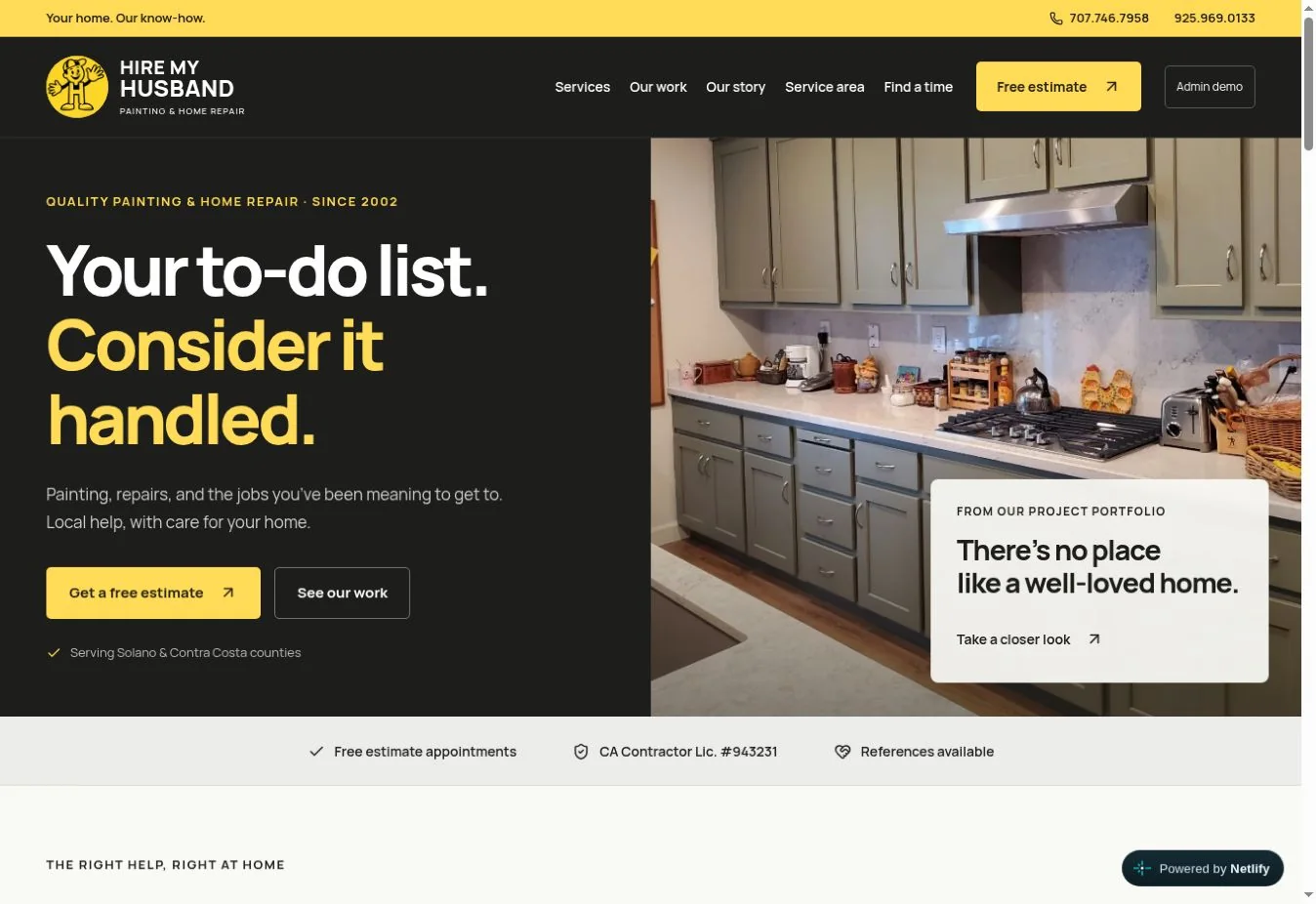
A website with a working-day point of view.
Customers get a clearer next step. The owner gets scheduling, customer records, and daily work in one connected workspace.
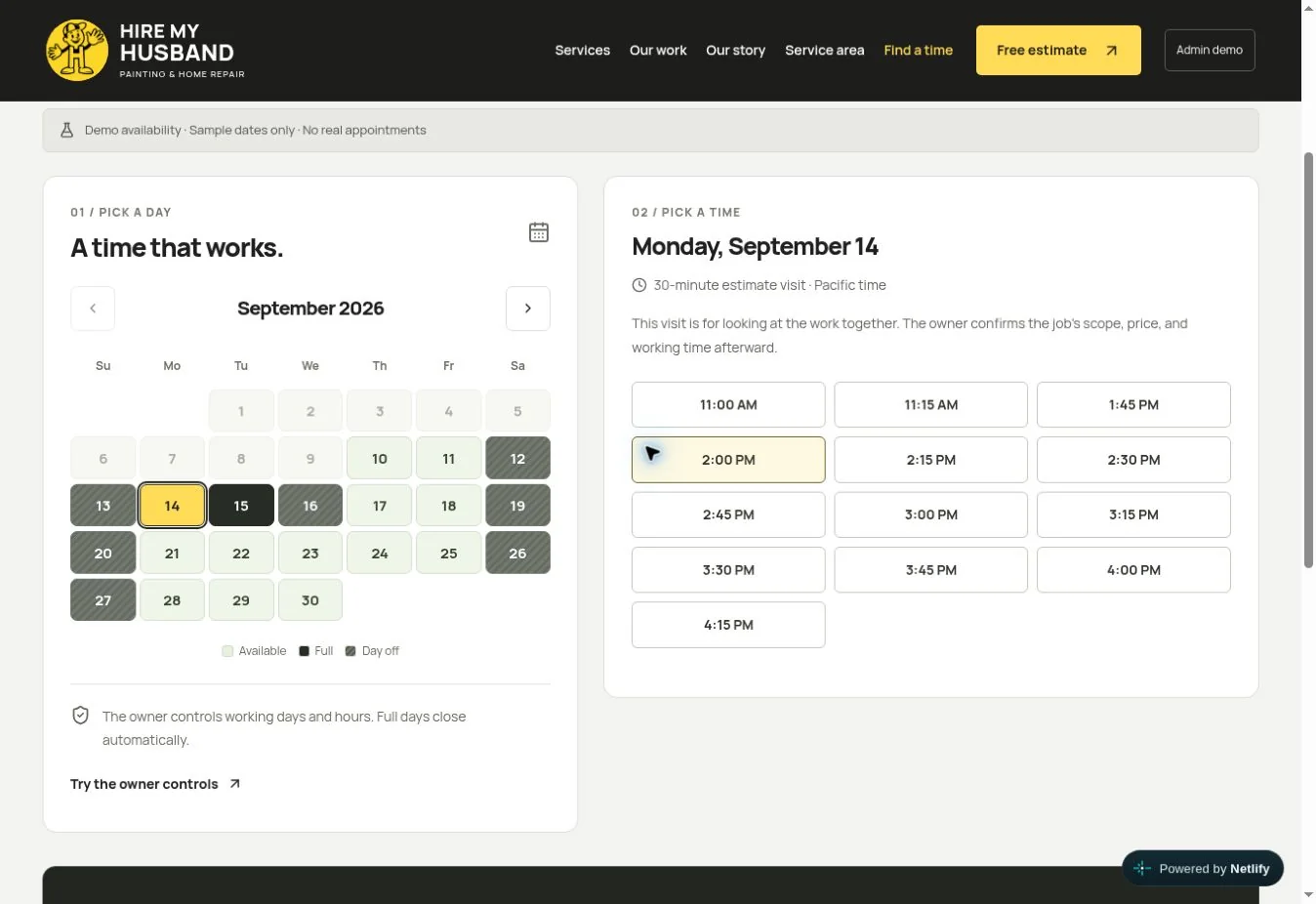
Let customers see a day that fits.
An availability calendar with owner-controlled working hours, blocked dates, and appointment windows.
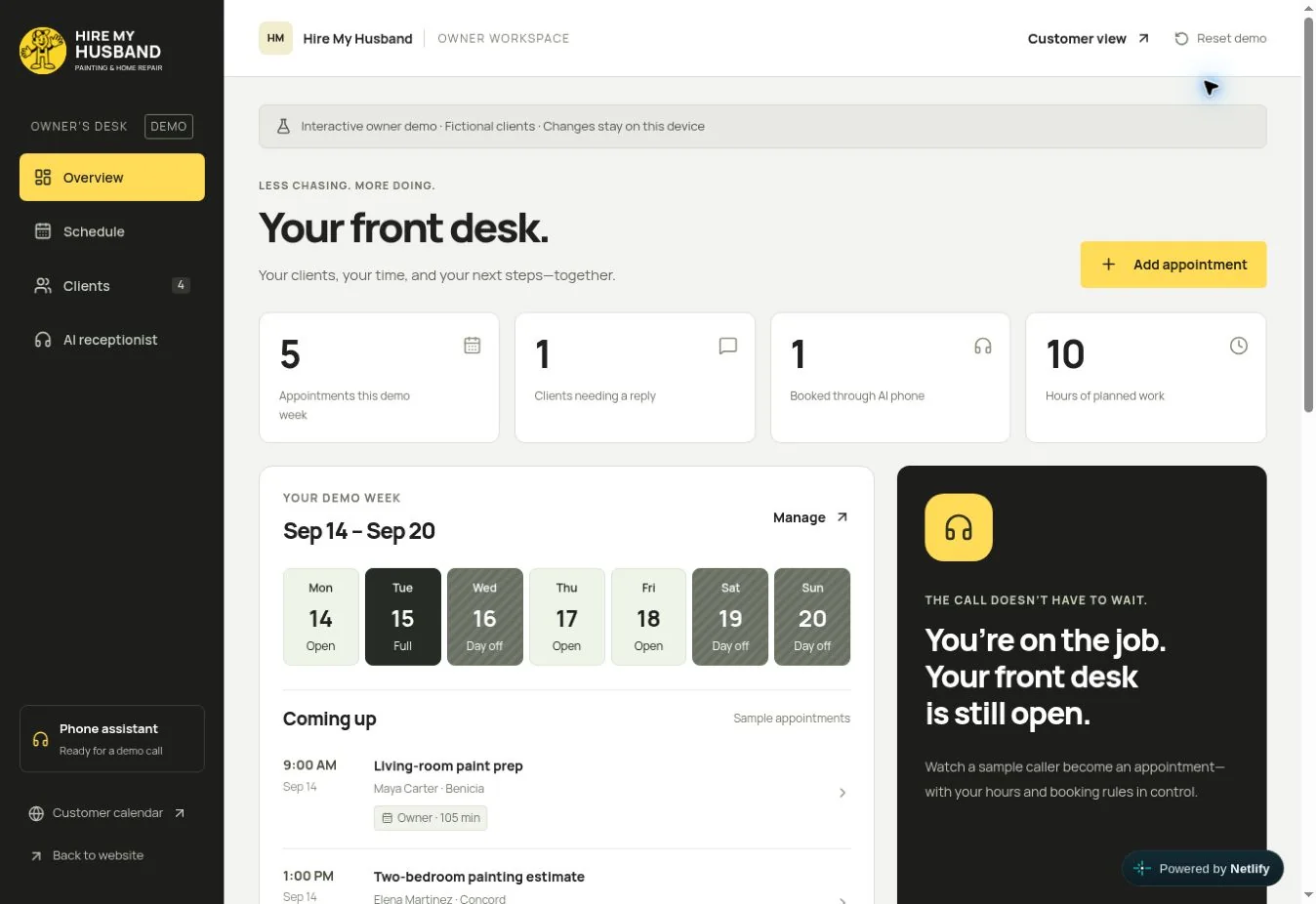
Give the owner a useful home base.
An owner workspace for appointments, customers, and the next things that need attention.
Take it for a spin
Built end to end. Ready to explore.
Explore the customer calendar, browse dates and times, and see how the scheduling experience works.
Hire My Husband
Customer booking calendar
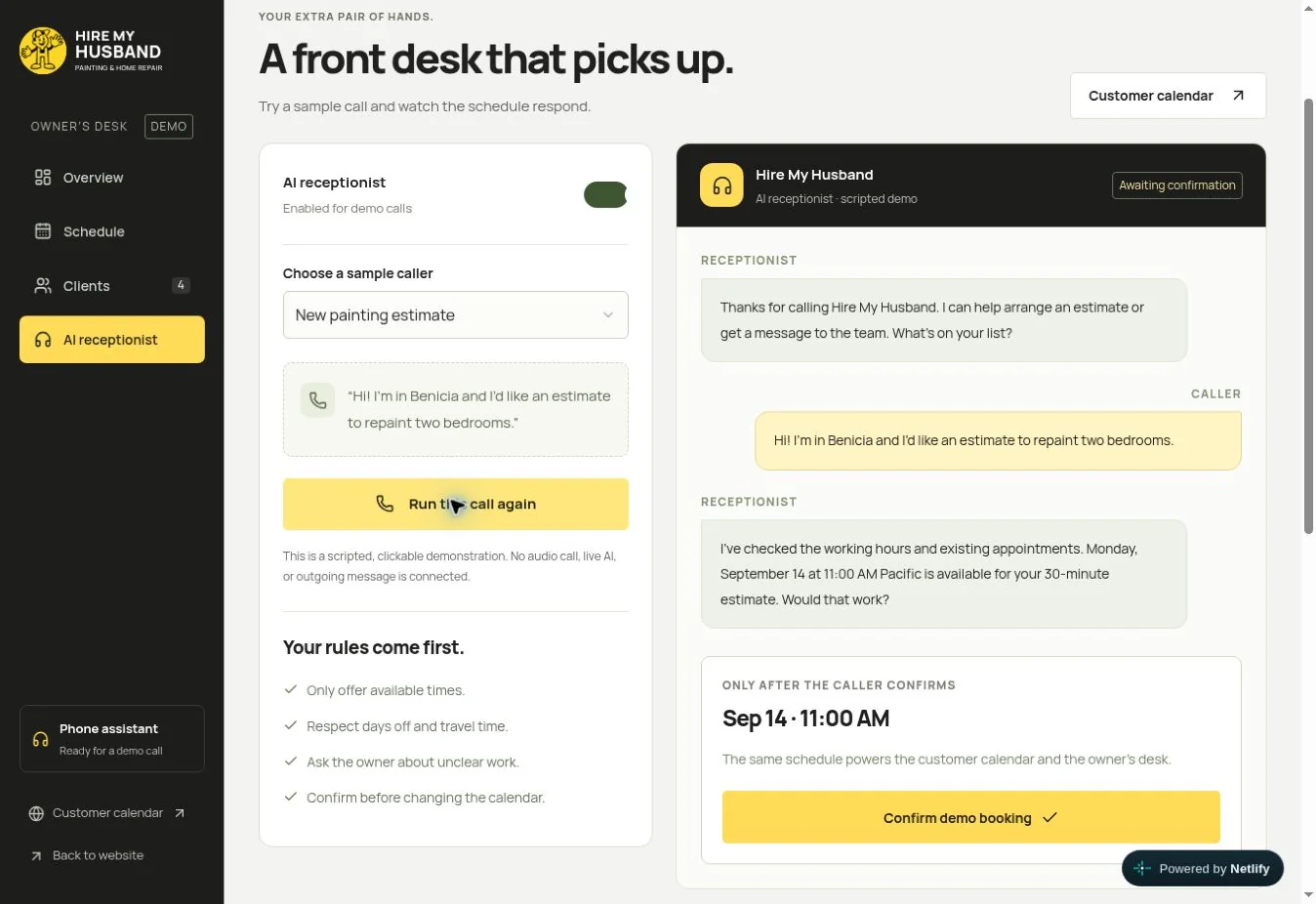
From interested to on the calendar.
Website, scheduling, and owner tools in one connected build.
Open the full website ↗The next layer of help
A clearer path from the first call.
The receptionist tools cover common questions, caller details, and approved next steps, with clear handoffs to the team.
Explore AI phone answeringA clearer first response
“I can help get that started. What needs fixing, and where is the property?”
Capture the job details, then pass them to the team.
Scope the work before we build
Clear deliverables. A working build.
Tell us what your website or team needs to do. We’ll define the features, connections, and handover before work starts.
- 01Start with the real problem
Where does the work slow down or come back to you?
- 02Agree on the scope and responsibilities
Agreed features, review points, responsibilities, and launch checks.
- 03Put it into everyday use
The agreed files, account access, and guidance for your team.